Pix Wallet · From sign-up to the first Pix payment
In Pay4Fun’s digital wallet, sending a Pix payment required signing up and registering a device. I designed that journey and the options people had when verification or a transfer stopped.
Opening an account was only part of getting the wallet ready to use
Pay4Fun built the wallet with bettors in mind. It had to take people from opening an account to making a first Pix payment through Brazil’s instant payment system. Registering the device was mandatory. If the verification code didn’t arrive, people could be left without a clear next step. Once set up, they could still hit their daily transfer limit.
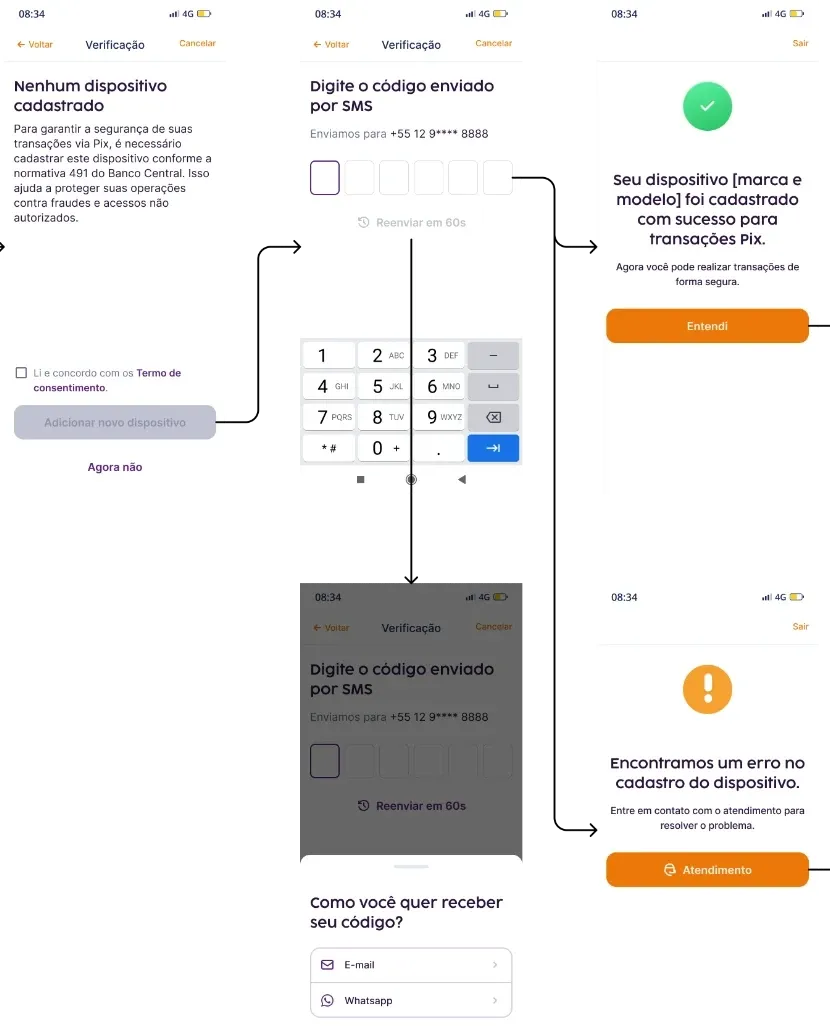
The first Pix payment depended on registering a device
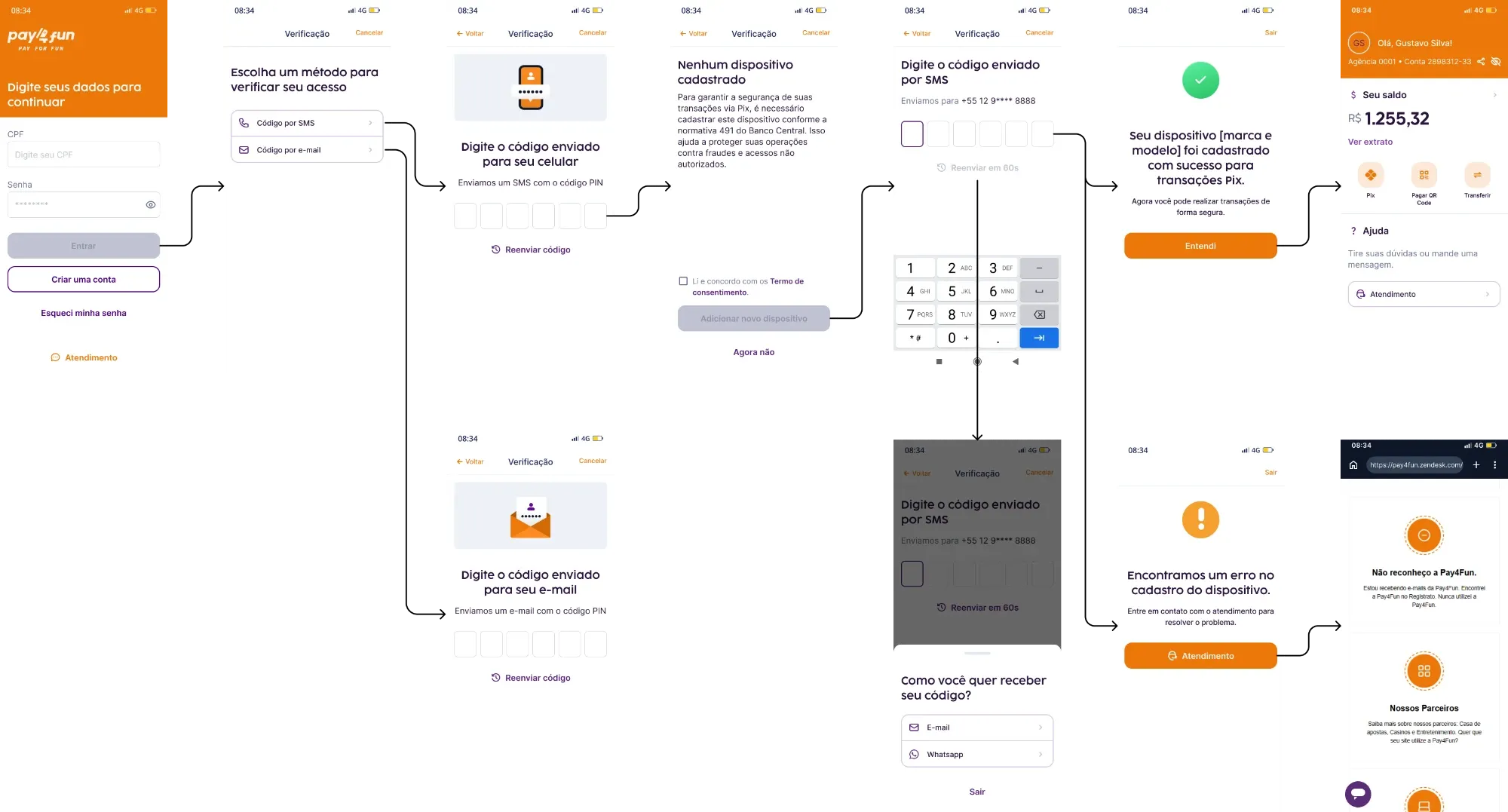
In Pay4Fun’s wallet, opening an account and authorizing a device were separate steps. I designed verification to explain why the device had to be registered and how to confirm the code.
If registration failed, people could reach support directly from the error screen. This kept the required check in place and gave them a way to resume the journey to their first payment.
Account protection had to work on older devices, too
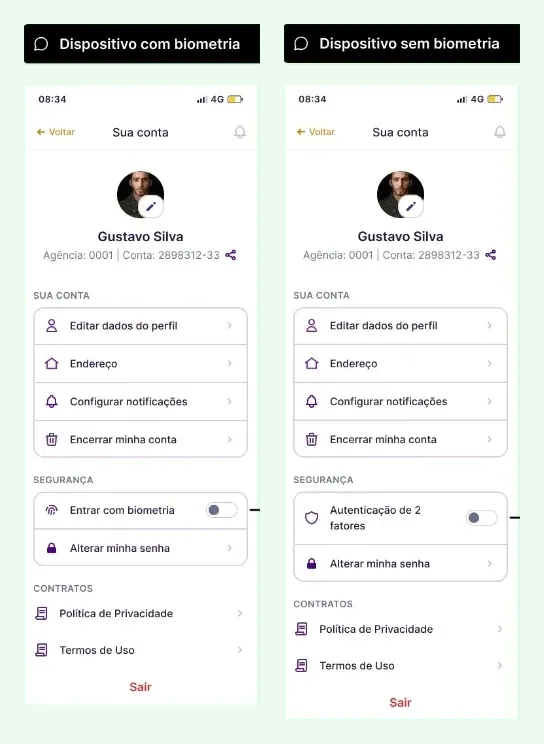
Tests on older Samsung Galaxy A phones showed that the authentication path broke when biometrics were unavailable. In the profile, I put two-factor authentication where the biometric option would appear so people could find the alternative in the security settings.
People who reached the daily limit could schedule their Pix transfer
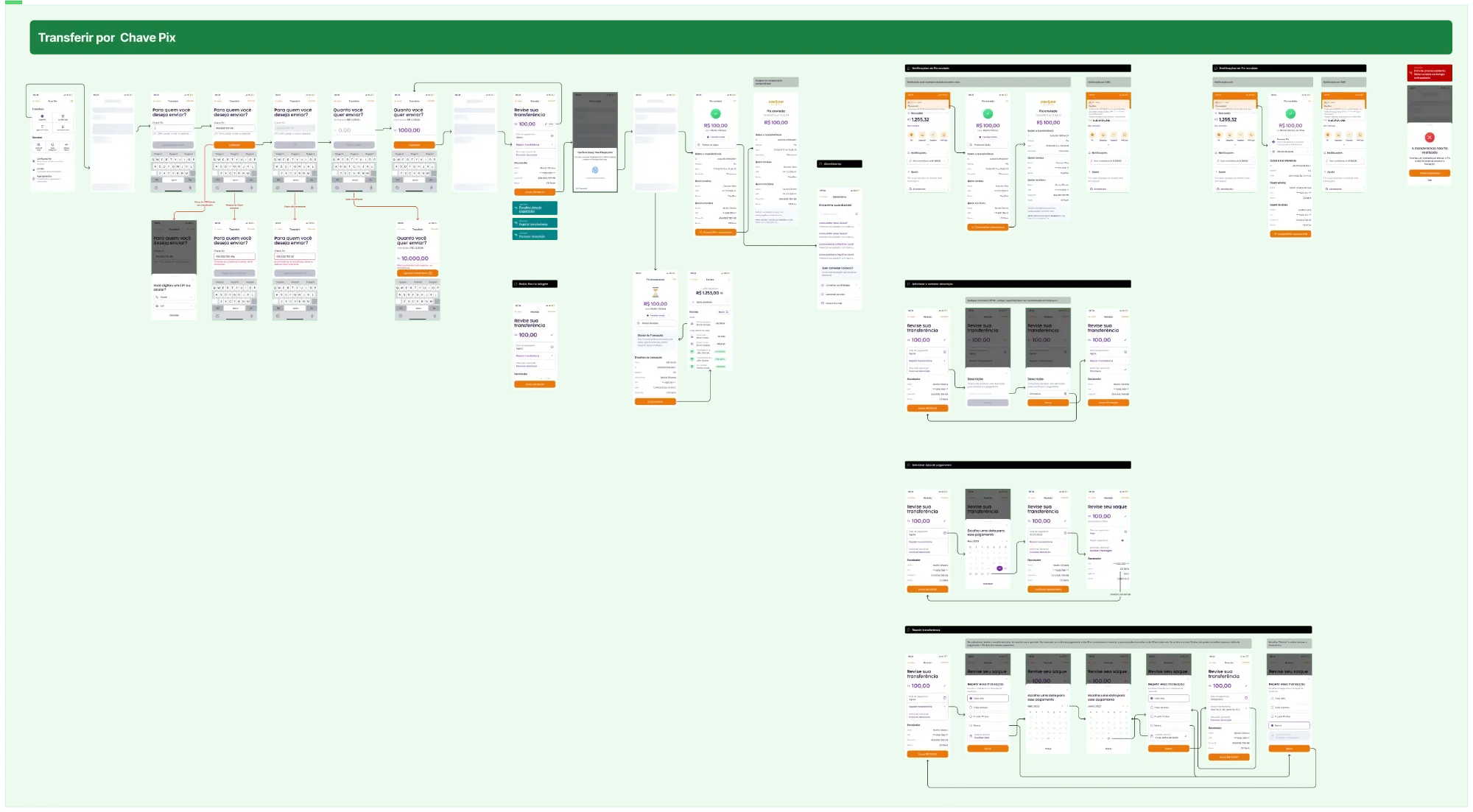
During a transfer, someone who reached the daily limit couldn’t send the payment at that moment. I offered scheduling so they could arrange it within the limit rules.
Some transfers also called for a risk warning. Compliance set the triggers, and I designed and validated the confirmation flow with Compliance and Security.
The full map shows where people could resume sign-up
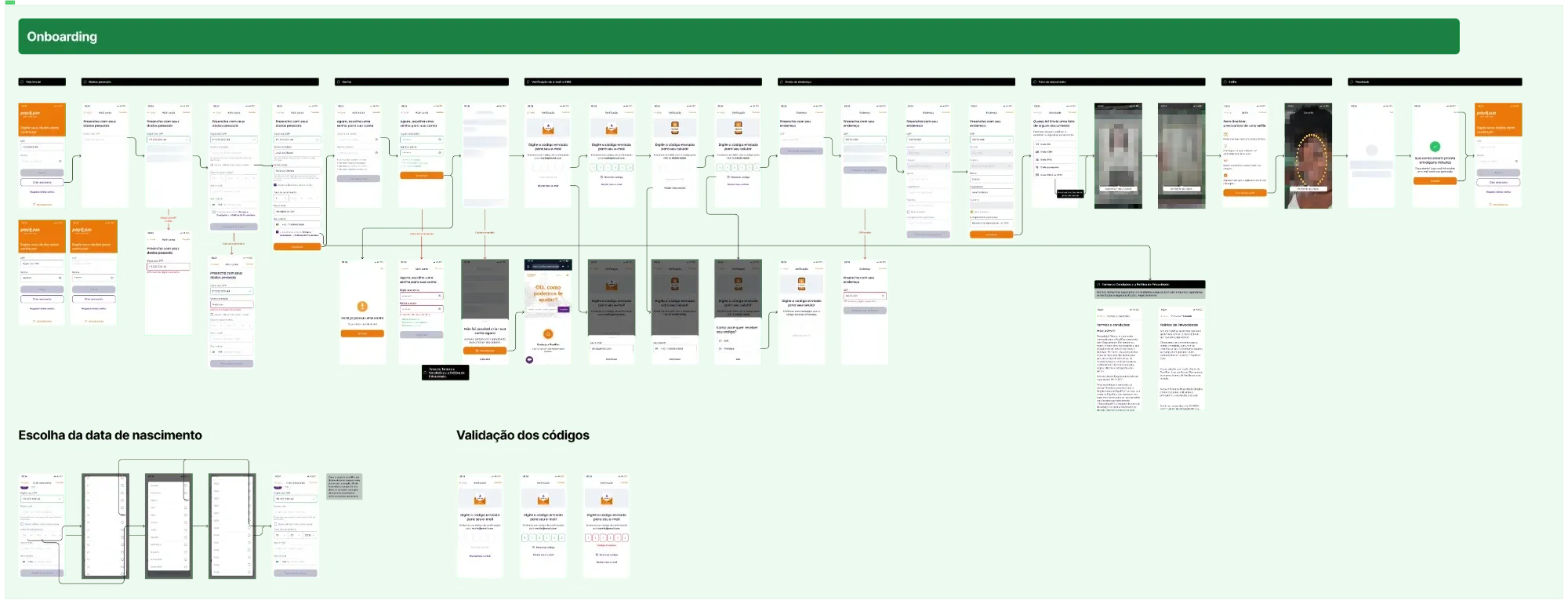
I mapped account setup from personal details through the selfie and return to the app. I recorded where each error led alongside the main path so Product and Engineering could review where people got stuck and how they could continue.
I designed sign-up, verification and transfers with TalkBack and VoiceOver in mind. Blind and low-vision participants and participants without disabilities performed the same tasks in usability tests so we could compare where they ran into difficulty.
What changed
The published figure follows people who completed sign-up. To assess conversion from the start, I’d track sign-up started, sign-up completed, device registered and first Pix payment, with the number of people reaching each step.
- 94%
of onboardings completed in 2024 had a Pix sent within 5 minutes of starting
Evidence: Reported - 30+
onboarding screens mapped, with the detour for each error
Evidence: Deliverable - 8
onboarding steps, from sign-up to selfie
Evidence: Deliverable
Sources and limits
The 94% figure is reported. It covers onboarding flows completed in 2024 that included a Pix sent within five minutes of starting onboarding. Raw counts and the source data stayed internal. The 30+ screens and eight steps describe the scope of the design.
The app went into production. The case shows the project’s flow maps. The cover on the home page is an illustrative AI composition.
The published figure covers the whole flow. The effect of individual changes and drop-off at each step have no published measurements.
The rules for which transactions were blocked or shown a warning were outside the published scope.
How to read the level of evidence
- Evidence: Deliverable
- Something that exists and was delivered. It describes the work, not an outcome.
- Evidence: Reported
- Stated by me or by stakeholders, with no published data.
Appendix: process
Process
- Where the flow stopped
- I mapped where onboarding stalled: at Pix's security and compliance rules.
- Explain every check
- Micro-confirmations and context would help users understand each validation instead of giving up.
- Devices without biometrics
- In tests on older Samsung Galaxy A phones, the flow broke without biometrics. I designed the two-factor path.
- In production
- Interface with limit alerts and security notices, which went to production.
Updated .
Hiring a Senior Product Designer or DesignOps Lead?
I am available immediately, 100% remote. Let's talk about how I can help your product.