SIRFO · CAIXA’s supplier portal
I redesigned an in-person, paper-based process so suppliers could submit documents and track approval online, while contract managers could review contracts in the same portal.
Supplier approval depended on paperwork and contact with the manager
To become a CAIXA supplier, a company had to submit documents for approval. When a requirement was unclear, documents were returned and suppliers and operators had to repeat parts of registration. Suppliers who wanted an update had to contact their contract manager by phone, WhatsApp or email.
Supplier research changed how the form handled errors
In my audit of paper-based registration, I found that documents were returned because requirements were unclear. I ran eight interviews and five usability tests with suppliers. I used that research to design specific error states for the problems I found.
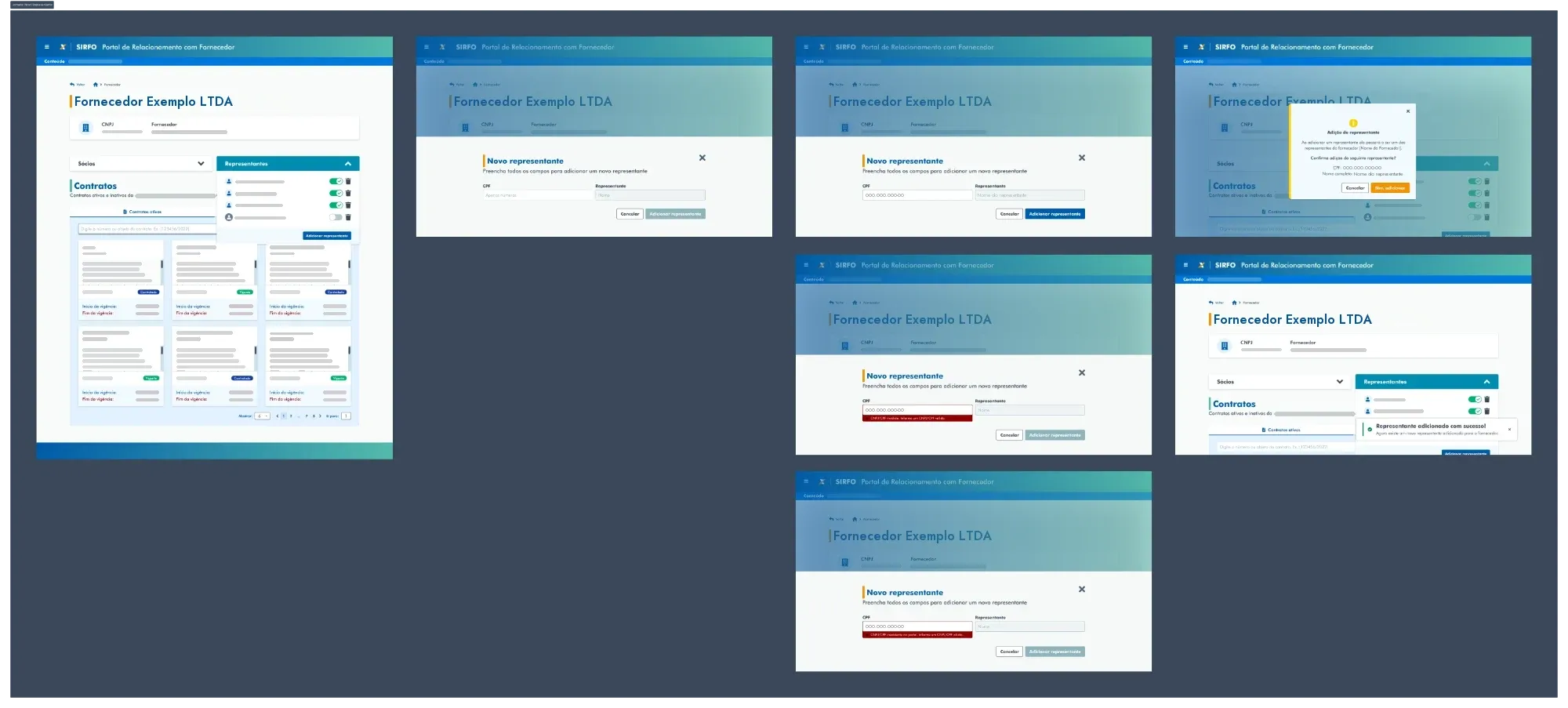
I split registration into steps and moved validation into the fields. The excerpts show two situations that call for different guidance: an invalid individual tax ID (CPF) and one the system can’t find. Suppliers can address the issue while the form is still open.
From submitting paperwork to getting a contract approved
Compare the paper process with the flow in the portal. Approval times are reported.
Before SIRFO
Gathers the documents
Without knowing exactly which format is required.
Submits at the accreditation desk
A 100% manual, paper-based process.
Document sent back
The requirements weren't clear. Back to step 2.
returned for correction, back to step 2
Waits with no news
No status: contact between supplier and contract manager was by phone call, WhatsApp and email.
Approval
After weeks.
weeksto approve a contract.
All on paper, no status, and rework along the way.
With SIRFO
Logs into the portal
Sees the contract and what's missing before starting.
Step-by-step registration
Tax ID validated instantly, with errors that say what to fix.
Attaches the articles of incorporation
Format and size checked on upload.
Tracks the status
No need to call anyone.
Approval
In days.
daysto approve a contract.
Suppliers can check progress in the portal. Managers can access the context they need in the same record.
Suppliers can see what the portal does before signing in
ClickTap the numbers
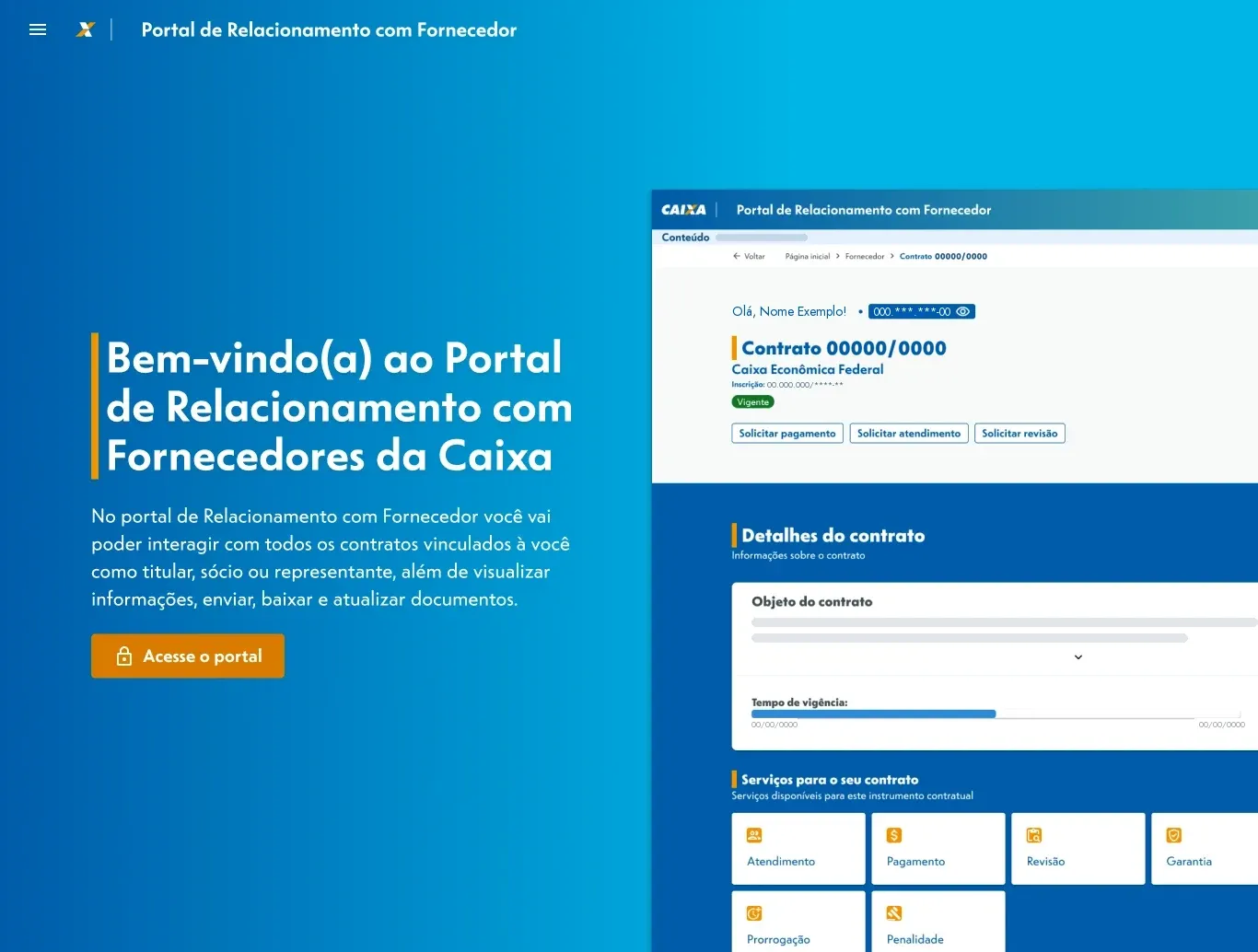
Mission before login
Decision 1 of 4
On the left, what the portal does, in one sentence and one button. Suppliers understand what it's for right away.
Mission before login
On the left, what the portal does, in one sentence and one button. Suppliers understand what it's for right away.
Preview of a real contract
On the right, the contract as it appears after login: the home page shows the product before asking for a password.
Actions where the data is
Payment, support and review live on the contract itself. Nobody has to hunt for the action in a global menu.
All services in one grid
Every service for the contract in blocks with an icon and a name, in one place, with no extra navigation.
Operators need a way to find the record they’ll review
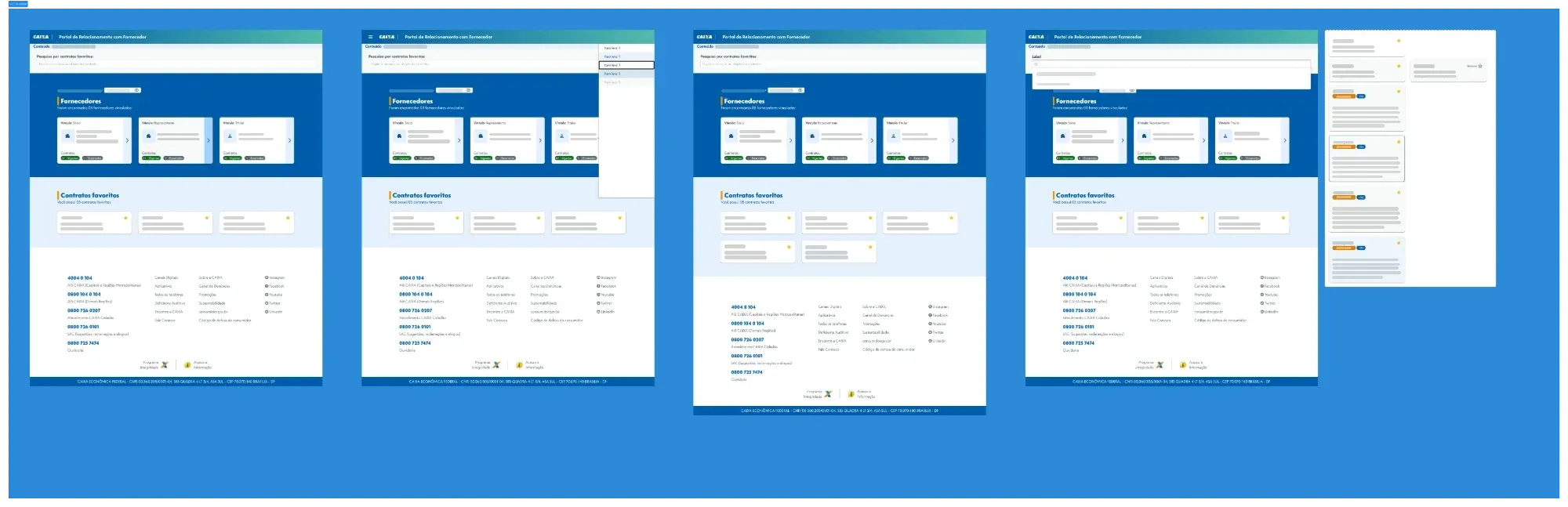
After submission, an operator has to locate the supplier they’re reviewing. I used the existing commercial portfolio as a filter so the team could search by a classification they already used in their work.
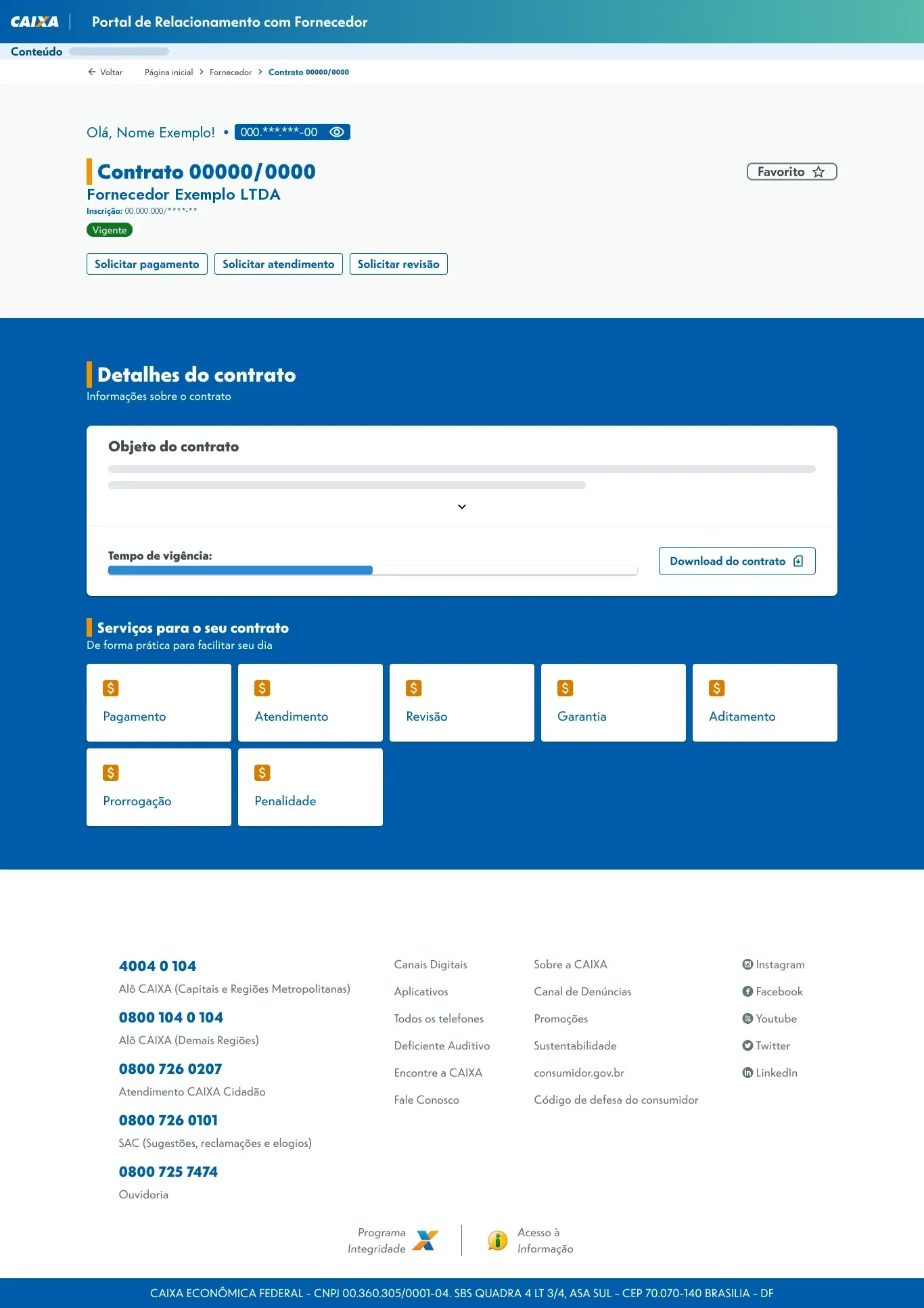
Managers can take action with the contract in view
Once the manager finds the contract, they can review the details and start the relevant action on the same page. I put payment and review there because the decision depends on information in the contract.
Entering the same portal with a screen reader
Default vision
The SIRFO screen as designed. Pick another way of seeing it and check what still works.
Low vision
With the image blurred, the hierarchy is what's left: one large heading, a single action button and clearly separated blocks.
Color blindness (protanopia)
Without red, blue and orange still look different. And the “Active” status is also written out, so color isn't the only cue.
Screen reader
For someone listening to the page, order and names are what count. This is what a screen reader should announce, in this order:
- bannerSupplier Relationship Portal
- buttonOpen menu
- heading 1Welcome to Caixa's Supplier Relationship Portal
- textIn the portal you can manage all the contracts linked to you…
- buttonAccess the portal
- heading 2Sample contract, Caixa Econômica Federal
- statusActive
- buttonsRequest payment, support, review
Keyboard only
Without a mouse, Tab has to follow the reading order: the main action first, then the contract actions, then the services.
- Tab 1Open menu
- Tab 2Access the portal
- Tab 3–5Request payment, support, review
- Tab 6–8Services: support, payment, review
These criteria became a guide for CAIXA's teams. See the Accessibility Guide →
Approximate simulations on the real screen.
What changed
The approval time and efficiency figures are reported comparisons for the service as a whole. To assess the form, I’d track returned submissions by issue. To assess online status updates, I’d track inquiries suppliers still send to contract managers.
- +35%
efficiency in supplier relationship management
- Weeks → days
to approve a contract
- 2022 Quality Seal
awarded to the portal by CAIXA
Sources and limits
The reported 35% efficiency gain compares the portal with the paper process and takes into account average service time and time lost by contract managers. The change from weeks to days is also a reported comparison of contract approval times. Research involved eight supplier interviews and five usability tests.
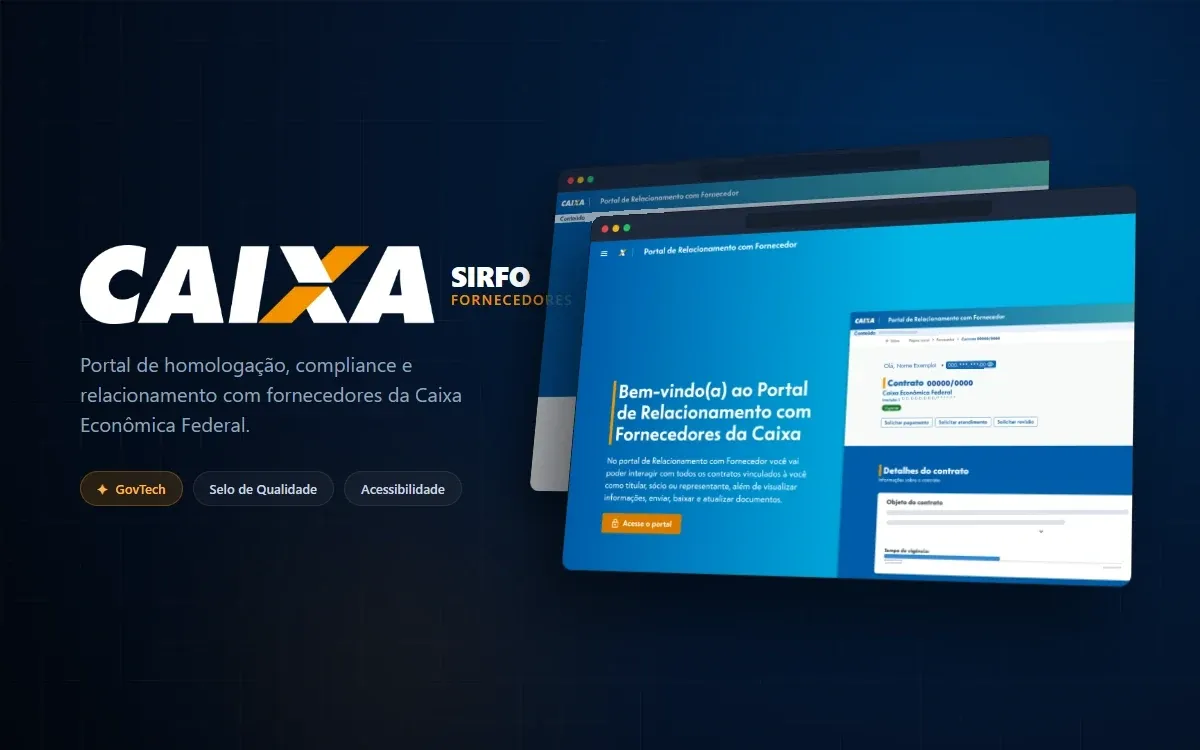
The portal went into production nationwide. The case shows original project captures. The cover on the home page is an illustrative AI composition.
The public record lacks a documented baseline, a measurement period, raw data and a count of approved contracts.
Evidence: Reported. Figures I report
Evidence record and methodAppendix: process
Process
- Audit of the accreditation process
- I audited the in-person accreditation and found the bottleneck: documents resubmitted because the screen didn't specify what was required.
- Validate in the field, in steps
- Validating critical data in the field and splitting the form into steps would cut the rejections.
- Testing with real suppliers
- I ran 8 interviews and 5 usability tests with a range of suppliers and designed a specific error state for each problem we found.
- Delivered within eMAG and WCAG
- The final interface meets eMAG (Brazil's government accessibility model) and WCAG. Contract approval went from weeks to days (reported).
Updated .
Hiring a Senior Product Designer or DesignOps Lead?
I am available immediately, 100% remote. Let's talk about how I can help your product.